 v0.1.0Education
Loop back before you forget
SM-2 spaced repetition with cloze, decks & stats — no cloud.
Free · Local-first · No account required
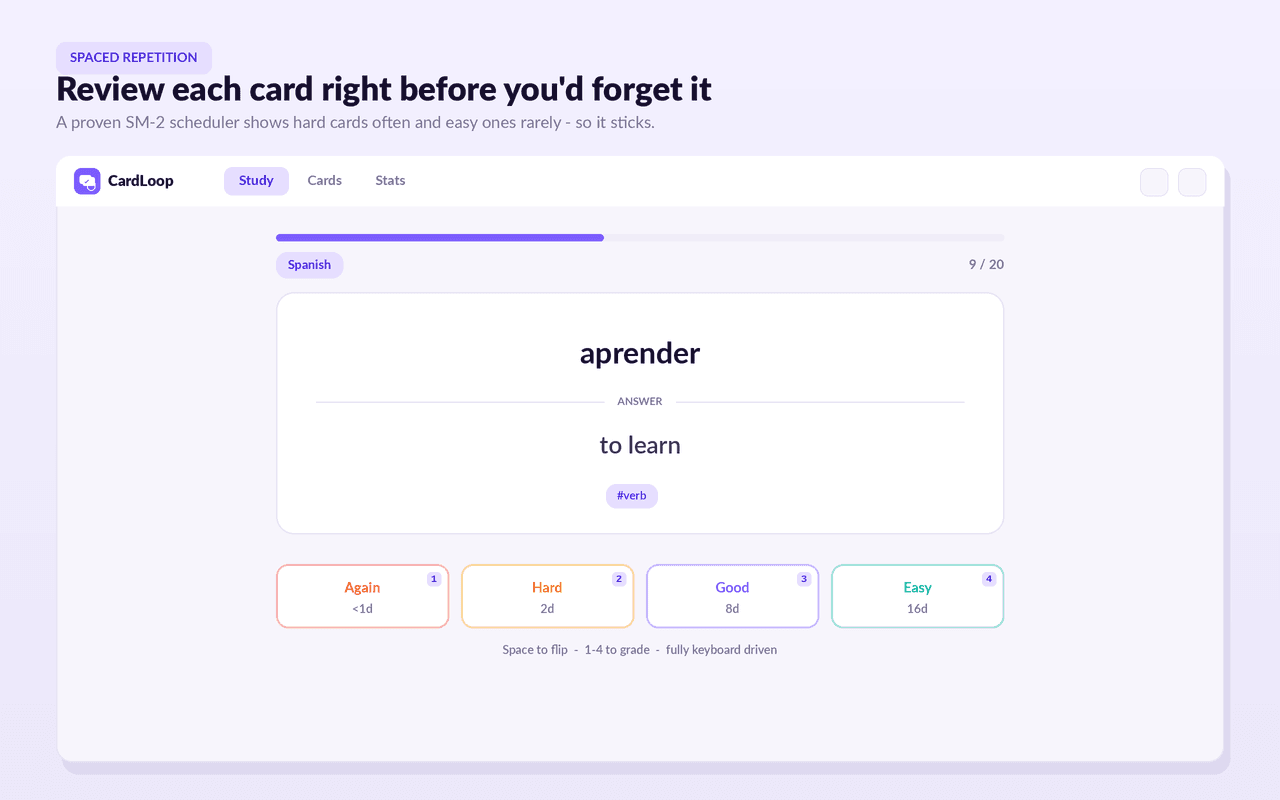
CardLoop turns anything worth remembering into flashcards and schedules each review for the moment you're about to forget — using the proven SM-2 algorithm Anki made famous.
It needs no account, no cloud and no AI: every card lives only in your browser. Capture anywhere by selecting text on a page and clicking “Add to CardLoop.”
Choose classic front/back or cloze deletions ({{c1::like this}}) with a live Q/A preview, grade Again/Hard/Good/Easy with next-interval previews, and organise with coloured decks, tags, search and state filters.
Track progress with a review heatmap, day streak, retention %, a card-maturity breakdown and a 7-day forecast — and own your data with JSON backup and Anki/Quizlet/CSV import.
Features
Everything CardLoop does
Capture anywhere
Select text on any page, right-click “Add to CardLoop.” No page access required.
Two card types
Classic front/back or cloze deletions ({{c1::like this}}) with a live Q/A preview.
Real spaced repetition
An SM-2 scheduler with Again/Hard/Good/Easy grading and next-interval previews.
Stay organised
Coloured decks, tags, full-text search and filters by state (new, learning, mature, suspended).
See progress
A 13-week review heatmap, day streak, retention %, maturity breakdown and a 7-day forecast.
Study your way
A quick side-panel hub and a focused full-page study mode; fully keyboard-driven.
Own your data
Export full JSON, paste-import from Quizlet/Anki/CSV, and export TSV for Anki.
Screenshots
See it in action
How it works
Up and running in seconds
- 1
Install CardLoop
Add it from the Chrome Web Store and pin it to your toolbar.
- 2
Capture or create
Select text on any page and “Add to CardLoop,” or write front/back or cloze cards in the hub.
- 3
Review on schedule
Open CardLoop (Alt+Shift+L) and grade due cards; SM-2 shows hard cards often and easy ones rarely.
- 4
Track & back up
Watch your heatmap and streak grow, and export a JSON backup (or import from Anki/Quizlet) anytime.
Keyboard
Shortcuts
| Action | Windows / Linux | macOS |
|---|---|---|
| Open CardLoop | Alt+Shift+L | Option+Shift+L |
Privacy
Why each permission is needed
CardLoop asks for the minimum and explains every one.
storageSaves your decks, cards, review history and settings locally via chrome.storage. Nothing is sent anywhere.
sidePanelShows the CardLoop hub (due counts, decks, quick-add, capture inbox) in Chrome's side panel beside any tab.
contextMenusAdds a right-click “Add to CardLoop” item so text you select can become a card. Only the text you select is used; CardLoop does not read page contents.
alarmsPeriodically recomputes the number of cards due today shown on the toolbar badge. No network activity.
Read the full privacy policy.
Loop back before you forget
Private, offline flashcards with SM-2 spaced repetition. Capture from any page, cloze, decks, tags & stats. No account, no cloud.