 v0.1.0Developer Tools
A developer multi-tool in the side panel
JSON, JWT, Base64, hash, UUID, regex & more — offline.
Free · Local-first · No account required
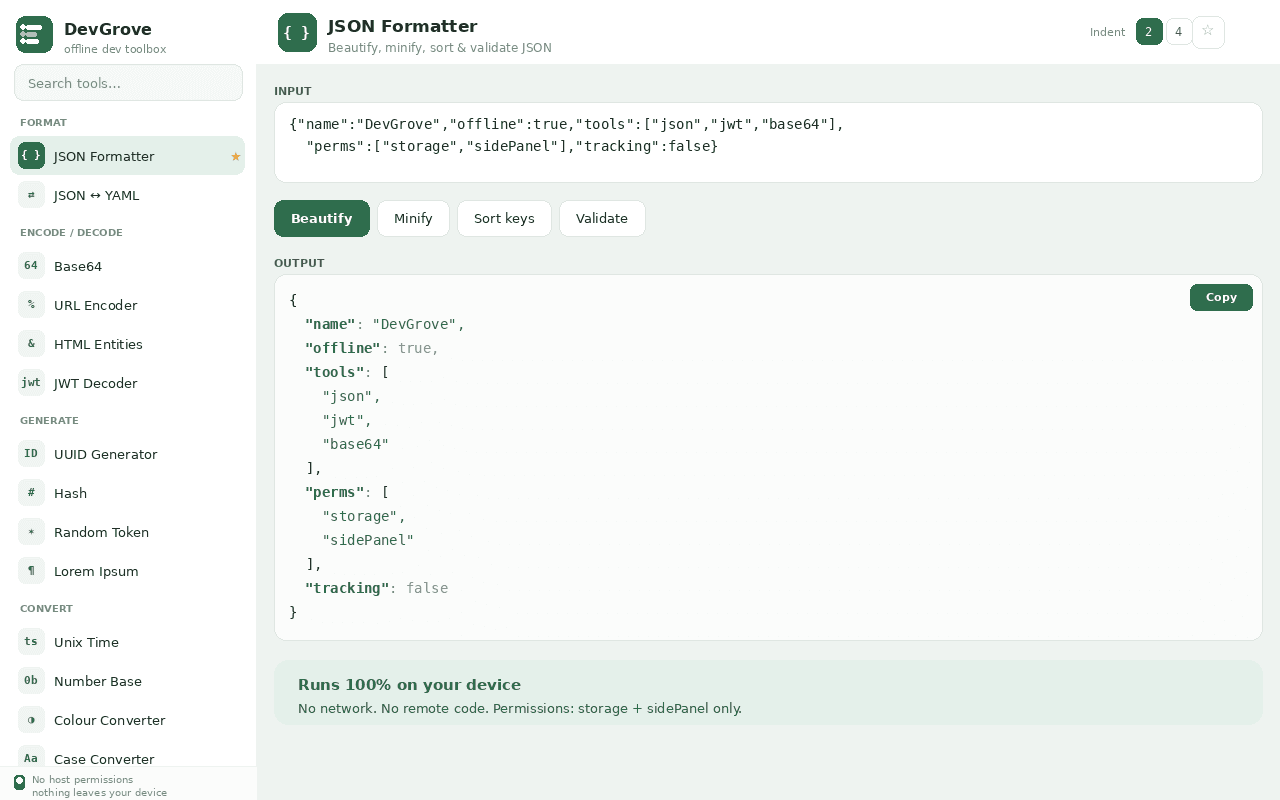
DevGrove is a developer multi-tool that lives in Chrome's side panel — and it runs 100% on your device.
Around eighteen everyday utilities for formatting, encoding/decoding, converting and generating: JSON (beautify, minify, sort, validate) and JSON ↔ YAML; Base64, URL, HTML entities and JWT decode; UUID, hashes (MD5/SHA), random tokens and Lorem ipsum.
Convert Unix time, number bases, colours and string case; test regex live; explain cron expressions in plain English; diff two texts; and run a quick text toolkit.
Private by design: only storage + sidePanel permissions, no host access, no network requests, no remote code.
Features
Everything DevGrove does
JSON & YAML
Beautify, minify, sort and validate JSON with line/column errors; convert JSON ↔ YAML.
Base64, URL & JWT
Encode/decode Base64 and URLs, escape HTML entities, and decode a JWT's header, payload and expiry.
Generators
UUID v4, MD5 + SHA-1/256/384/512 hashes, strong random tokens and Lorem ipsum.
Converters
Unix time ↔ date, number bases, HEX ↔ RGB ↔ HSL colour, and string case.
Regex tester
Live matches, capture groups and flags as you type.
Cron parser
A plain-English explanation of any cron expression, plus the next run times.
Diff & text toolkit
Line-by-line diff, plus count, sort, dedupe, reverse and trim.
Screenshots
See it in action
How it works
Up and running in seconds
- 1
Install DevGrove
Add it from the Chrome Web Store and pin it to your toolbar.
- 2
Open the side panel
Click DevGrove (or press Ctrl/Cmd+Shift+D) to open the toolbox beside any tab.
- 3
Pick a tool
Choose JSON, JWT, Base64, hashes, regex, cron, diff and more — everything runs as you type.
- 4
Stay local
Nothing you paste leaves your device; favourite your most-used tools for quick access.
Keyboard
Shortcuts
| Action | Windows / Linux | macOS |
|---|---|---|
| Open DevGrove | Ctrl+Shift+D | Cmd+Shift+D |
Privacy
Why each permission is needed
DevGrove asks for the minimum and explains every one.
storageSaves your preferences (indentation), favourite tools and recent-tool list locally via chrome.storage.local. Nothing is transmitted.
sidePanelOpens the DevGrove toolbox in Chrome's side panel beside the page you are working on.
Read the full privacy policy.
A developer multi-tool in the side panel
Offline developer toolbox: JSON/YAML, JWT, Base64, hash, UUID, regex, cron, diff & more. 100% local, no host access.