 v0.1.0Education
Test, train and sharpen your typing
Timed tests, adaptive drills & a keyboard heatmap — fully offline.
Free · Local-first · No account required
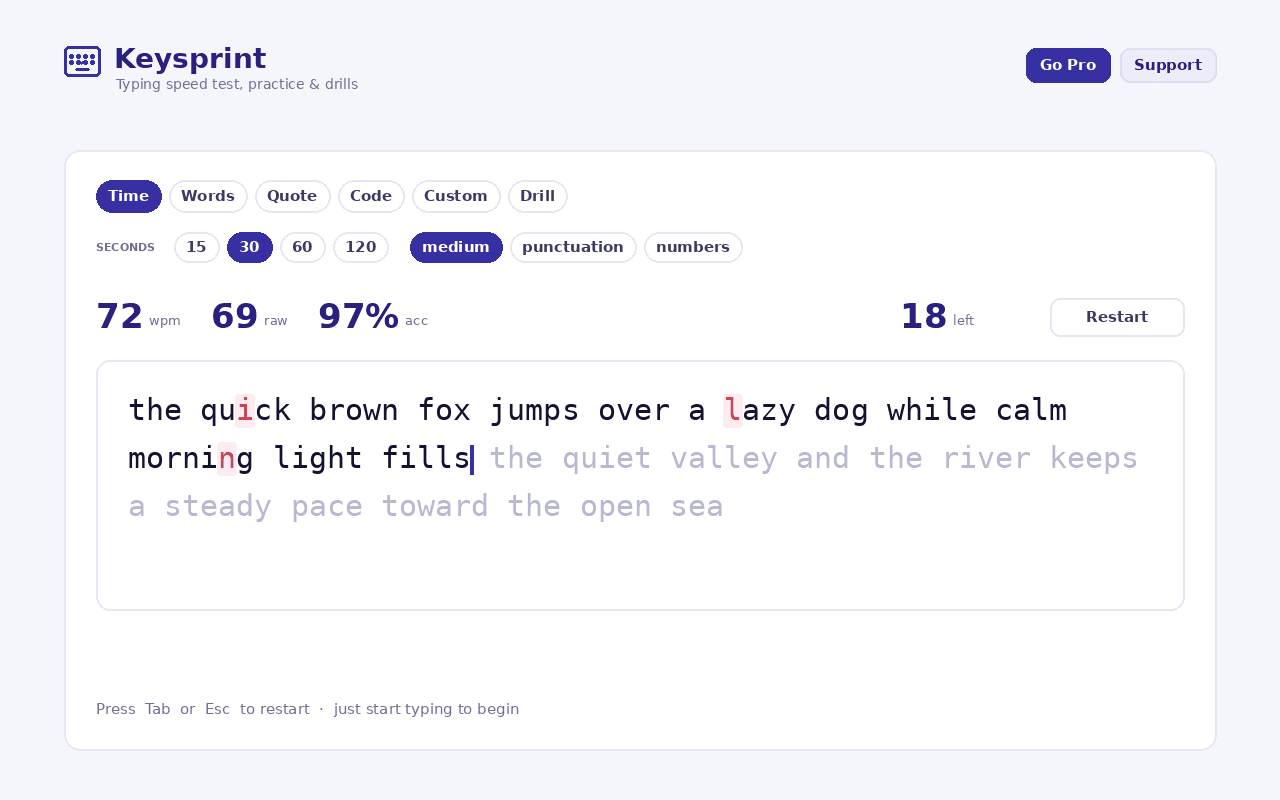
Keysprint turns any browser tab into a fast, private typing dojo — test your speed, train with adaptive drills and sharpen your accuracy, without an account, a subscription or a single keystroke leaving your device.
Take a test in any mode: timed runs of 15, 30, 60 or 120 seconds, fixed word counts, quotes, code snippets, or any text you paste yourself. Add punctuation and numbers, choose easy, medium or hard word lists, and watch live WPM, accuracy and consistency as you type.
Keysprint learns from your mistakes. It records how often you hit each key correctly, tints a colour-coded QWERTY heatmap from green to red by error rate, and builds Drill-mode practice weighted toward your weakest keys — so you train exactly where it counts. You can even right-click selected text on any page and practise typing it; Chrome hands the selection straight to the extension, so no page access is required.
Every result stays yours: personal bests per mode, a daily streak, a progress chart and full session history, with one-click JSON backup or CSV export. It all lives on your device — the only network request is a tiny display-config fetch that decides whether the optional Support buttons show, and it sends nothing about you or what you type.
Features
Everything Keysprint does
Tests in every mode
Timed runs (15 / 30 / 60 / 120s), fixed word counts, quotes, code snippets, or any text you paste — with punctuation, numbers and easy/medium/hard word lists.
Adaptive drills
Keysprint watches which keys you miss and builds practice text weighted toward your weakest ones, so you train exactly where it counts.
Keyboard heatmap
A colour-coded QWERTY heatmap tints every key green→red by your error rate, showing exactly where you slip.
Real progress tracking
Live WPM, accuracy and consistency, personal bests per mode, a daily streak, a progress chart and full session history.
Quotes, code & selection
Practise on real quotes or code snippets — or right-click any selected text on a page and type it, with no page access required.
Private & exportable
100% local with no account; export a JSON backup or a CSV of your sessions, or erase everything, anytime from Settings.
Screenshots
See it in action
How it works
Up and running in seconds
- 1
Install Keysprint
Add it from the Chrome Web Store and pin it to your toolbar.
- 2
Take a quick test
Open the popup for a fast 15-second test, or open the full trainer (Alt+Shift+T) for a longer session.
- 3
Pick a mode
Choose timed, word-count, quote, code or your own pasted text; add punctuation and numbers and set the difficulty.
- 4
Train your weak keys
Check the heatmap, switch to Drill mode, and watch your WPM, streak and history grow — export to JSON or CSV anytime.
Keyboard
Shortcuts
| Action | Windows / Linux | macOS |
|---|---|---|
| Open the Keysprint quick test | Alt+Shift+Y | Option+Shift+Y |
| Open the Keysprint full trainer | Alt+Shift+T | Option+Shift+T |
Privacy
Why each permission is needed
Keysprint asks for the minimum and explains every one.
storageSaves your typing history, per-key statistics and settings (test mode, difficulty, sound and theme) via chrome.storage on your device. Nothing is sent anywhere.
contextMenusAdds the right-click "Practice selected text in Keysprint" menu item. Chrome passes the selected text directly to the extension, so Keysprint never reads page content on its own.
host access (factory-chrome-extensions.vercel.app)Fetches a small, display-only configuration file that decides whether the optional Support / Go Pro buttons appear. It sends no personal data — nothing about you or what you type — is cached locally for about 12 hours, and Keysprint works fully offline if the site can't be reached.
Read the full privacy policy.
FAQ
Questions, answered
Test, train and sharpen your typing
Private, offline typing speed test & trainer: timed, word, quote and code tests, adaptive drills, a keyboard heatmap, plus WPM and accuracy stats.