 v0.1.2Developer Tools
Pick any pixel — privately
Eyedropper, palettes, WCAG contrast & code export — 100% local.
Free · Local-first · No account required
A privacy-first color toolkit for designers and developers — an eyedropper, palette manager, WCAG contrast checker and color-blindness previewer that runs entirely on your device.
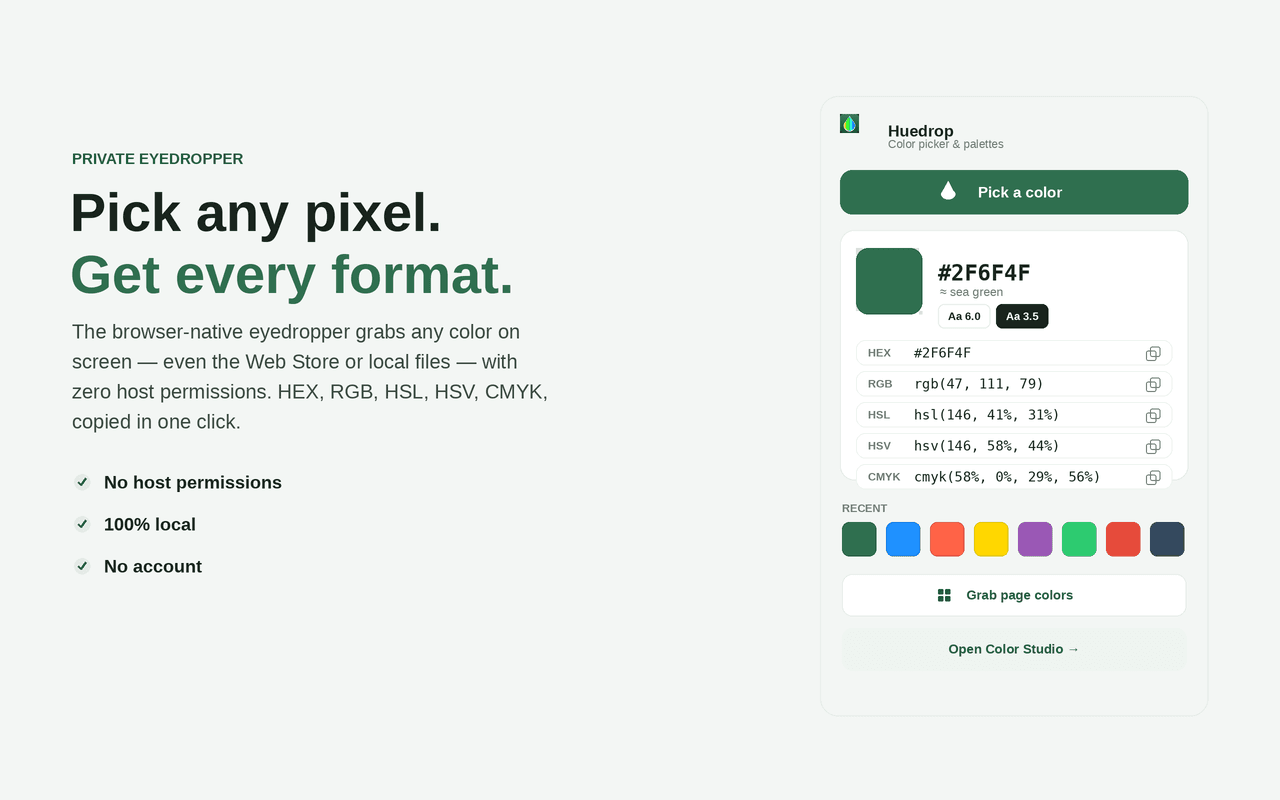
Pick any pixel without “access all your data.” Huedrop uses your browser's built-in eyedropper, so it can grab a colour from any pixel on screen — a webpage, the Chrome Web Store, a local file, even another app's window — with no host permissions.
See and copy each colour as HEX, RGB, HSL, HSV and CMYK with a nearest-name label; build unlimited local palettes; generate harmonies, tints, shades and gradients; check WCAG AA/AAA contrast; and preview eight colour-blindness types.
Export to code — a HEX list, CSS variables, SCSS, a Tailwind config, JSON or Android XML. Everything is computed locally and never leaves your device: zero network requests, no remote code, no account.
Features
Everything Huedrop does
Native eyedropper
Grab a colour from any pixel on screen — a webpage, a local file, even another app — with no host permissions.
Every format, one click
See and copy each colour as HEX, RGB, HSL, HSV and CMYK, with a friendly nearest-name label.
Palettes
Build and name unlimited palettes, drag colours in, reorder and delete — all stored locally.
Harmonies & variations
Complementary, analogous, triadic, tetradic, square, split-complementary and monochromatic — plus tints, shades and tones.
WCAG contrast checker
A full WCAG 2.x checker with a live preview, the exact ratio and AA / AAA pass-fail for normal text, large text and UI.
Color-blindness preview
Preview any colour or palette through 8 vision deficiencies.
Gradient builder
Multi-stop linear, radial and conic gradients with a copy-ready CSS declaration.
Grab page colors
One click reads every colour used on the current tab (activeTab only, on demand).
Export to code
Send any palette to HEX, CSS variables, SCSS, Tailwind, JSON or Android XML — copy or download.
Screenshots
See it in action
How it works
Up and running in seconds
- 1
Install Huedrop
Add it from the Chrome Web Store and pin it to your toolbar.
- 2
Pick a colour
Open Huedrop and use the native eyedropper to grab any pixel on screen — or press Alt+Shift+H for the full Color Studio.
- 3
Build & check
Save colours into palettes, generate harmonies and gradients, and check WCAG contrast and color-blindness previews.
- 4
Export to code
Send any palette to HEX, CSS variables, SCSS, Tailwind, JSON or Android XML — copy or download.
Keyboard
Shortcuts
| Action | Windows / Linux | macOS |
|---|---|---|
| Open the Huedrop Color Studio | Alt+Shift+H | Option+Shift+H |
Privacy
Why each permission is needed
Huedrop asks for the minimum and explains every one.
activeTabUsed only when you click “Grab page colors”. It grants temporary access to the tab you are viewing so Huedrop can read the colours used on that one page. It does not run in the background and never touches other tabs.
scriptingInjects a single bundled function into the current tab (only when you click “Grab page colors”) that reads computed colours and returns them. No remote code is loaded; the script reads styles and changes nothing on the page.
storageSaves your palettes, recent colours and preferences locally via chrome.storage.local. Nothing is ever sent off your device.
Read the full privacy policy.
Pick any pixel — privately
Privacy-first eyedropper & color picker: pick any pixel, build palettes, check WCAG contrast & export CSS/Tailwind/SCSS.