 v0.1.0Lifestyle
A private journal & mood tracker
Check in, reflect, and watch your year fill in — offline.
Free · Local-first · No account required
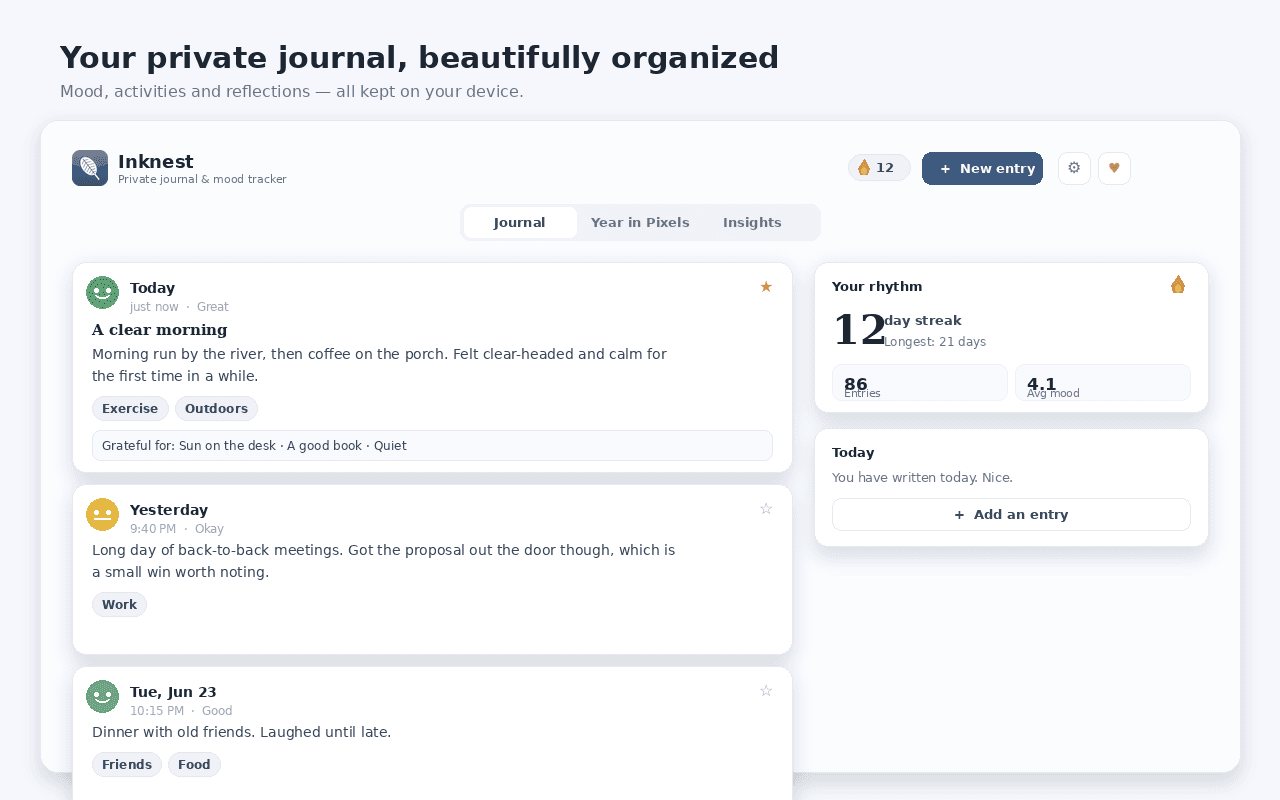
Inknest turns a browser tab into a private journal and mood tracker — check in on your day, reflect with gentle prompts, and watch your year fill in, with no account and nothing leaving your device.
Log your mood in two taps, tap what you did and jot a line from the popup or the side panel, or write longer entries with a title, activities, gratitude lines and a daily writing prompt — with as many entries per day as you like.
See your whole year as a grid of mood-coloured days, and let the Insights tab turn your history into a mood distribution, weekday averages, day-streaks and a Daylio-style read on which activities lift or drain your mood.
Keep a daily streak with an optional on-device reminder, search and filter every entry, switch light or dark, lock it behind an optional passcode, and back up to JSON or export as Markdown. 100% on your device — free.
Features
Everything Inknest does
Two-tap check-ins
Log your mood, tap the activities you did and jot a line in seconds — from the popup or the side panel.
A real journal
Write longer entries with a title, activities, gratitude lines and a daily prompt, with as many entries per day as you like.
Year in Pixels
See your whole year as a grid of mood-coloured days, the way Daylio fans love.
Mood insights
Your mood distribution, weekday averages, day-streaks and a read on which activities lift or drain your mood.
Prompts & reminders
Rotating reflection and gratitude prompts, plus an optional daily reminder and streak to keep the habit.
Private & yours to keep
100% on your device with no account — search and filter entries, lock with an optional passcode, and export to JSON or Markdown.
Screenshots
See it in action
How it works
Up and running in seconds
- 1
Install Inknest
Add it from the Chrome Web Store and pin it to your toolbar.
- 2
Check in or write
Open the popup or side panel, log your mood and activities in two taps, or write a full journal entry with a gentle prompt.
- 3
Watch your year fill in
Year in Pixels paints each day by mood, and the Insights tab builds streaks, weekday averages and activity correlations.
- 4
Keep it yours
Set an optional daily reminder and passcode, then back up to JSON or export your journal as Markdown anytime.
Keyboard
Shortcuts
| Action | Windows / Linux | macOS |
|---|---|---|
| Open the Inknest quick check-in | Alt+Shift+N | Option+Shift+N |
| Open the Inknest journal | Alt+Shift+J | Option+Shift+J |
Privacy
Why each permission is needed
Inknest asks for the minimum and explains every one.
storageSaves your journal entries, moods, activities, gratitude notes, prompts, settings and optional passcode (stored only as a one-way hash) via chrome.storage.local on your device. Nothing is sent anywhere.
sidePanelShows the daily check-in companion in Chrome's side panel beside any tab.
alarmsSchedules the optional daily reminder at the time you choose, evaluated locally on your device.
notificationsShows the optional daily reminder as a browser notification. No reminder data leaves your computer.
commandsRegisters the optional keyboard shortcuts that open the quick check-in and the journal.
host access (factory-chrome-extensions.vercel.app)Used only to fetch a small display-configuration (which Support / Go Pro buttons to show) from the Extension Factory site. The request is anonymous — it sends no personal data, no identifiers and none of your entries — and the result is cached locally for 12 hours, with a built-in offline fallback.
Read the full privacy policy.
FAQ
Questions, answered
A private journal & mood tracker
Private, offline journal & mood tracker: daily check-ins, activities, Year in Pixels, mood insights, prompts & reminders.