 v0.1.0Productivity
Know your real profit before you list
Compare net profit, margin & ROI across every marketplace — then track each flip. 100% local.
Free · Local-first · No account required
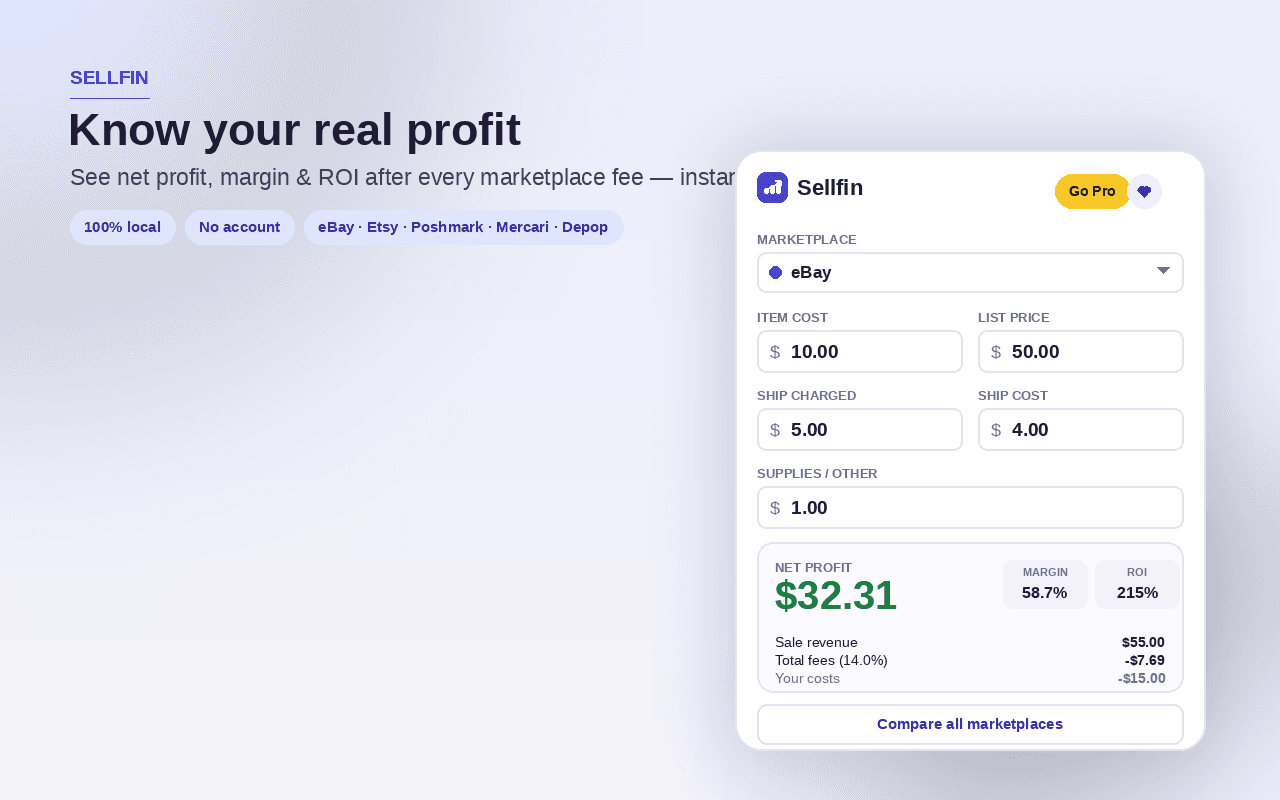
Sellfin turns "what will I actually clear?" into one number — instantly, for every marketplace at once — and it runs entirely on your device. Enter an item's cost, list price, shipping and supplies, and see your real net profit, margin and ROI after each marketplace's fees.
Compare the same item side by side across eBay, Etsy, Poshmark, Mercari, Depop and more, ranked by payout with the best one highlighted. Or work backwards: tell Sellfin the profit, margin or ROI you want and it gives you the list price to set on every marketplace.
Every fee is yours to adjust — final value percentages, listing and per-order fees, payment processing and flat-fee rules — so the math stays accurate as marketplaces change. Save items to the inventory tracker, mark them unlisted, listed or sold, and watch invested capital, realized vs projected profit, average margin and days-to-sell.
Spreadsheets break past a couple hundred items and platform dashboards don't know what your stock cost you. Sellfin keeps the math honest and the data yours: light and dark themes, a quick-check popup, a full dashboard, keyboard shortcuts, and JSON/CSV backup — with not a single number sent to a server.
Features
Everything Sellfin does
Profit calculator
Enter item cost, list price, shipping and supplies and see your real net profit, margin and ROI after each marketplace's fees.
Marketplace comparison
The same item priced side by side across eBay, Etsy, Poshmark, Mercari, Depop and more — ranked by payout with the best one highlighted.
Price for a target
Work backwards: name the profit, margin or ROI you want and Sellfin gives the list price to set on every marketplace.
Editable fees
Every rate — final value %, listing and per-order fees, payment processing, flat-fee rules — is yours to adjust as marketplaces change.
Inventory tracker
Save items, mark them unlisted, listed or sold, and watch invested capital, realized vs projected profit, average margin and days-to-sell.
Backup & move
Export or import a JSON backup, or export your items as CSV — your data moves with you, on your terms.
Screenshots
See it in action
How it works
Up and running in seconds
- 1
Install Sellfin
Add it from the Chrome Web Store and pin it to your toolbar.
- 2
Enter your numbers
Type an item's cost, list price, shipping and supplies in the popup or dashboard — Sellfin computes net profit, margin and ROI instantly.
- 3
Compare or price to a target
See every marketplace ranked by payout, or flip it around and let Sellfin set the price for the profit, margin or ROI you want.
- 4
Track your flips
Save items to your inventory, mark them listed or sold, and back everything up to JSON or CSV. Press Alt+Shift+Y to open the full dashboard.
Keyboard
Shortcuts
| Action | Windows / Linux | macOS |
|---|---|---|
| Open the Sellfin quick profit check | Alt+Shift+S | Option+Shift+S |
| Open the Sellfin dashboard | Alt+Shift+Y | Option+Shift+Y |
Privacy
Why each permission is needed
Sellfin asks for the minimum and explains every one.
storageSaves your items, fee profiles and settings (themes, default fees and preferences) via chrome.storage on your device. Nothing you enter is sent anywhere.
Read the full privacy policy.
FAQ
Questions, answered
Know your real profit before you list
Marketplace fee & profit calculator: compare net profit, margin & ROI across eBay, Etsy, Poshmark, Mercari & Depop, price for a target, and track inventory. 100% local.