 v0.1.0Productivity
Your private reading life
Track every book, log each session, hit your reading goal — offline.
Free · Local-first · No account required
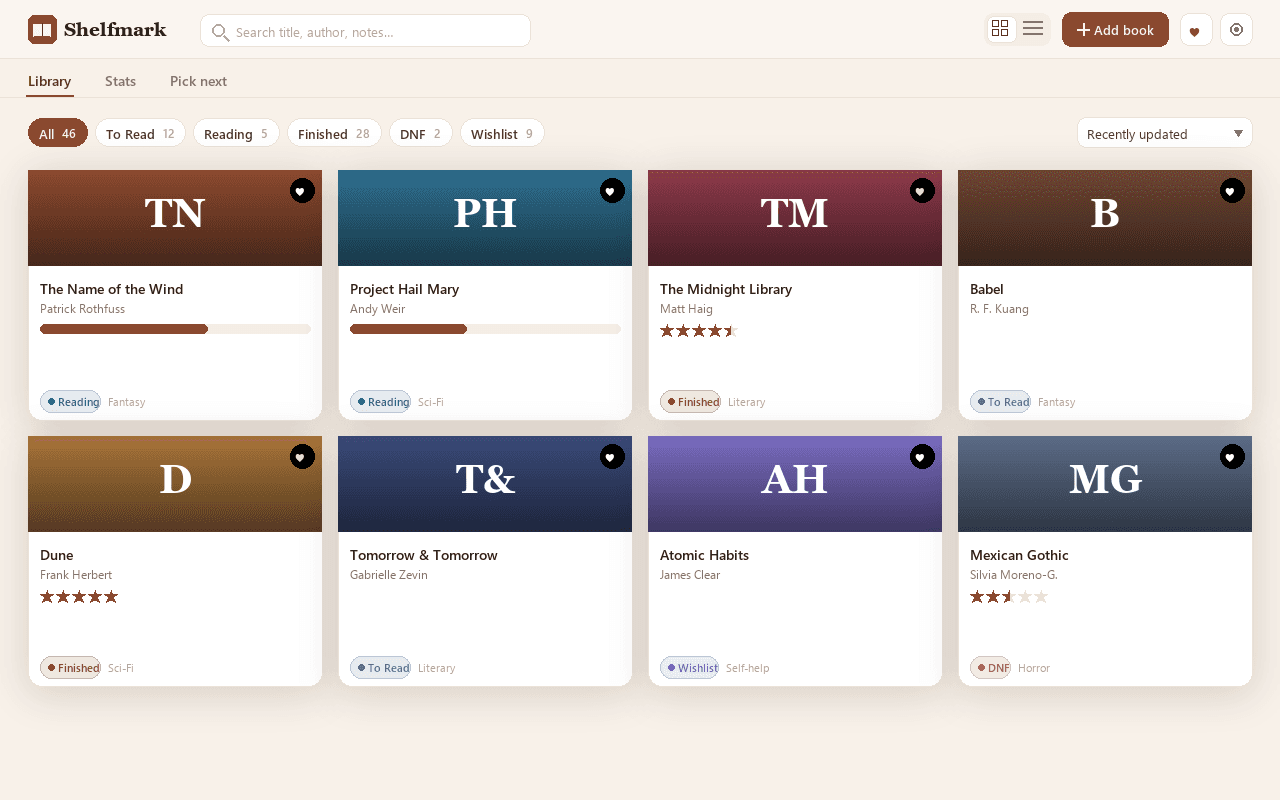
Shelfmark turns your browser into a private reading tracker you'll actually keep up with. Shelve every book into To Read, Reading, Finished, DNF or Wishlist with its author, format, genre, page count, mood tags and notes — and rate in half-star increments, the one thing Goodreads still won't let you do. No account, no Amazon, no tracking.
A live side-panel timer logs your reading minutes and pages as you go, building a reading-day streak and filling a calendar heatmap. Set a yearly reading challenge by books or pages and watch the progress ring fill — the streaks and goal tools the paid apps charge for, free.
Can't decide what's next? "Pick my next read" filters your to-read pile by genre, format and length and chooses for you. The Stats tab turns your library into numbers that mean something: pages read, average rating, completion rate, your ratings spread, top genres and per-shelf counts.
Everything is yours to keep — search, filter and sort your library, switch between light and dark themes, back up to JSON, export to CSV, and import a Goodreads CSV in one click so switching takes seconds. Your library and reading history are stored only in your browser and never leave your device.
Features
Everything Shelfmark does
Shelve every book
Organize your library into To Read, Reading, Finished, DNF and Wishlist — each book with its author, format, genre, page count, mood tags and notes.
Half-star ratings
Rate in half-star increments — the thing Goodreads still won't let you do — for an honest shelf that reflects how you really felt.
Reading sessions & streaks
A live side-panel timer logs your minutes and pages, builds a reading-day streak and fills a calendar heatmap.
Reading challenge
Set a yearly goal by books or pages and watch the progress ring fill as you read through the year.
Pick my next read
Can't decide? Filter your to-read pile by genre, format and length and let Shelfmark choose your next book.
Stats & backup
Pages read, average rating, completion rate and top genres turn your library into real insight — then back it up to JSON, export to CSV, or import a Goodreads CSV in one click. Light & dark themes included.
Screenshots
See it in action
How it works
Up and running in seconds
- 1
Install Shelfmark
Add it from the Chrome Web Store and pin it to your toolbar.
- 2
Add your books
Add each book with its shelf, author, format, genre, page count and a half-star rating — or import your whole Goodreads library from CSV in one click.
- 3
Log your reading
Open the side-panel timer while you read; it logs your minutes and pages and builds your reading-day streak and heatmap.
- 4
Set a goal & track your stats
Set a yearly reading challenge by books or pages, then watch the progress ring and your Stats fill as you read.
Keyboard
Shortcuts
| Action | Windows / Linux | macOS |
|---|---|---|
| Open the Shelfmark popup | Alt+Shift+R | Option+Shift+R |
| Open your library | Alt+Shift+L | Option+Shift+L |
Privacy
Why each permission is needed
Shelfmark asks for the minimum and explains every one.
storageKeeps your library, reading log and settings (shelves, half-star ratings, page progress, mood tags, notes, reading sessions and the reading challenge) on your device via chrome.storage.local. Nothing is uploaded.
sidePanelShows the live reading-session timer in Chrome's side panel beside any tab, so your minutes and pages are logged automatically.
commandsPowers the keyboard shortcuts for opening the popup and your library.
host_permissionsThe single host (the Extension Factory site) is used only to fetch a small display-config — which Support/Pro buttons to show — cached locally for 12 hours. It sends no personal data and no reading data, and Shelfmark works fully offline with a built-in fallback.
Read the full privacy policy.
FAQ
Questions, answered
Your private reading life
Private, offline book tracker & reading log: shelves, half-star ratings, reading sessions, streaks, stats and a yearly reading challenge. No account.