 v0.1.0Productivity
A private car maintenance & fuel log
Track fill-ups, MPG, service, costs & renewal reminders for every car — 100% local.
Free · Local-first · No account required
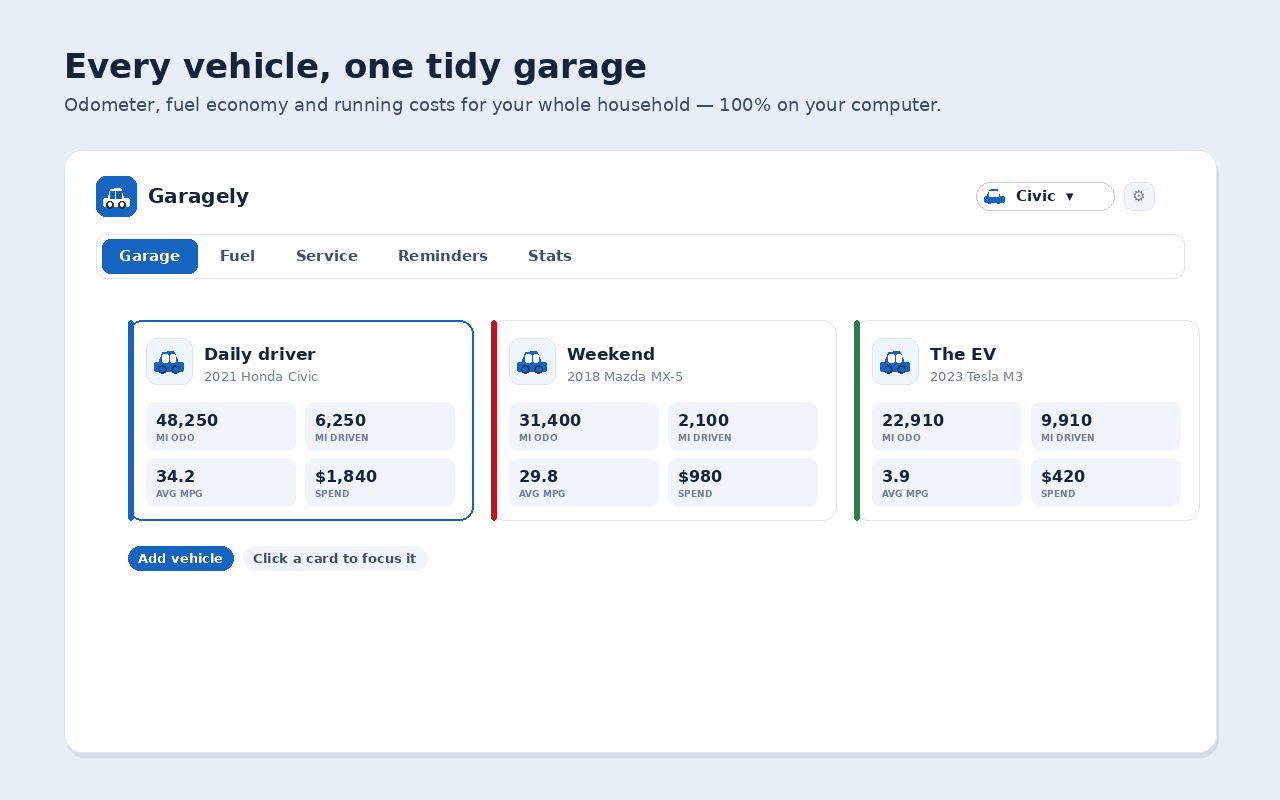
Garagely keeps a fuel log, full service history, running costs and smart maintenance reminders for every one of your vehicles — petrol, diesel, hybrid or electric — entirely inside your browser. There's no account and no subscription, and nothing ever leaves your device.
Add as many cars, bikes or EVs as you like, each with its own odometer, and log every fill-up. Garagely measures fuel economy the right way — full fill-up to full fill-up — and shows it as MPG, L/100km, km/L or mi/kWh, rolling partial fills into the next and flagging a forgotten receipt so it never skews your numbers. Alongside it sits a tidy, searchable service history of oil changes, tyres, brakes and more, with cost, odometer and shop.
Set maintenance reminders by distance, by date, or both — oil every 5,000 miles, registration every 12 months — and Garagely flags each item as overdue, due soon or fine, with an optional desktop notification and a count on the toolbar icon. Cost analytics show total spend, cost per mile, monthly fuel-versus-service spend and an economy trend, all calculated on your machine.
The popular car apps put cloud backup behind a subscription, show ads even after you pay, and occasionally lose your data. Garagely flips that: free, fully local, ad-free, and built for petrol, diesel, hybrid and electric from day one. Log a fill-up in two clicks from the popup or side panel, and export a full JSON backup or fuel/service CSV files whenever you like — no lock-in.
Features
Everything Garagely does
A garage for every vehicle
Add as many cars, bikes or EVs as you like — each with its own odometer, fuel log, service history, reminders and cost totals.
True fuel economy
Economy measured full-to-full and shown as MPG, L/100km, km/L or mi/kWh; partial fills roll into the next and a forgotten receipt is flagged so it never skews your numbers.
A tidy service history
Log oil changes, tyres, brakes and anything else with cost, odometer and shop — searchable, exportable, and exactly what a buyer wants at resale.
Reminders by distance & date
Set intervals like oil every 5,000 mi or registration every 12 months; Garagely flags each as overdue, due soon or fine, with a desktop notification and a toolbar badge.
Costs & charts
Total spend, cost per mile, monthly fuel-versus-service spend and an economy trend — all calculated on your machine.
Yours, and 100% local
No account and nothing leaves your browser; log a fill-up in two clicks from the popup or side panel, and export a full JSON backup or fuel/service CSV anytime.
Screenshots
See it in action
How it works
Up and running in seconds
- 1
Install Garagely
Add it to Chrome and pin it to your toolbar; press Alt+Shift+G to open the popup anytime.
- 2
Add your vehicles
Create a garage entry for each car, bike or EV with its odometer and fuel type — petrol, diesel, hybrid or electric.
- 3
Log fill-ups and services
Record each fill-up (mark it partial or missed when needed) and every service with cost, odometer and shop; Garagely works out your true economy and running costs.
- 4
Set reminders and stay ahead
Add maintenance reminders by distance, date or both, turn on the daily check for a desktop notification, and back everything up to JSON or CSV.
Keyboard
Shortcuts
| Action | Windows / Linux | macOS |
|---|---|---|
| Open the Garagely popup | Alt+Shift+G | Option+Shift+G |
| Open the Garagely dashboard | Alt+Shift+D | Option+Shift+D |
Privacy
Why each permission is needed
Garagely asks for the minimum and explains every one.
storageSaves your vehicles, fuel fill-ups, service history, reminders, costs and settings via chrome.storage.local on your device. Nothing is sent anywhere.
alarmsSchedules the optional once-a-day local check so maintenance and renewal reminders fire on time even when the popup isn't open.
notificationsShows the optional reminder — e.g. an oil change or registration coming due — as a browser notification. No reminder data leaves your computer.
sidePanelShows the at-a-glance garage — everything that's due across all your vehicles — in Chrome's side panel beside any tab.
commandsRegisters the optional keyboard shortcuts that open the Garagely popup and the dashboard.
host access (factory-chrome-extensions.vercel.app)Used only to fetch a small display-configuration (which Support / Go Pro buttons to show) from the Extension Factory site. The request is anonymous — it sends no personal data, no identifiers and none of your vehicle data — and the result is cached locally for 12 hours, with a built-in offline fallback.
Read the full privacy policy.
FAQ
Questions, answered
A private car maintenance & fuel log
Private, offline car maintenance & fuel log: track fill-ups, MPG/L-100km, service history, costs and renewal reminders for every vehicle.