 v0.1.0Education
A private grade & GPA tracker
Weighted grades, GPA and exactly what you need — for any school.
Free · Local-first · No account required
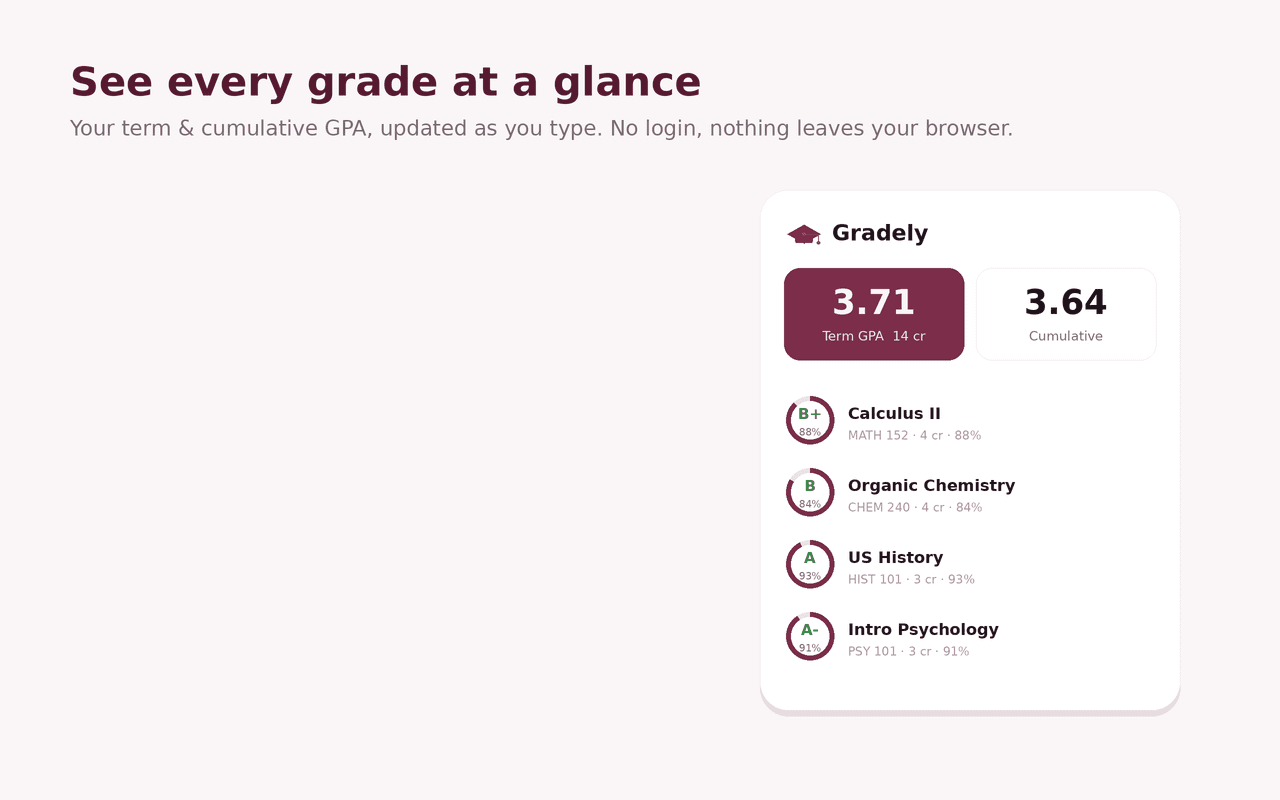
Gradely is a private grade and GPA tracker that lives in your browser. Enter your courses and scores and it shows your real grade, your GPA, and exactly what you need on what's left — with no account, no school login, and nothing leaving your device.
Set up weighted categories — Homework, Quizzes, Exams — with "drop N lowest" rules, just like a real syllabus, and every course shows a live letter and percentage with a grade ring as you type. Leave any score blank and Gradely treats it as still to come.
The "what do I need?" planner sets a target grade and tells you the average you need on the remaining work, and whether it's still reachable. Term and cumulative GPA are credit-weighted and switch between unweighted 4.0, weighted (AP / IB / Honors bumps) and plain percentage, and the Grade Goal side panel lets you plan targets right beside your coursework.
Unlike tools that lock you into Canvas, PowerSchool or D2L and need your student login, Gradely works with any school: a fully customizable letter / percentage / GPA scale that never touches your LMS. Search your courses, switch between light and dark, back up to JSON and export your grades to CSV — all 100% on your device.
Features
Everything Gradely does
Weighted categories & drop rules
Set Homework, Quizzes and Exams weights and "drop N lowest" per category — exactly like a real syllabus.
Your grade, instantly
Every course shows a live letter and percentage with a grade ring as you type scores. Leave a score blank to plan it.
"What do I need?" planner
Set a target grade and Gradely shows the average you need on the remaining work, and whether it's still reachable — in the popup or the Grade Goal side panel.
Term & cumulative GPA
Credit-weighted GPA per term and overall, in unweighted 4.0, weighted (AP / IB / Honors bumps) or plain percentage.
Any school, your scale
A fully customizable letter / percentage / GPA scale that works with any school, because Gradely never touches your LMS.
Yours to keep
Search courses, switch light or dark, back up to JSON and export your grades to CSV — all on your device.
Screenshots
See it in action
How it works
Up and running in seconds
- 1
Install Gradely
Add it from the Chrome Web Store and pin it to your toolbar; press Alt+Shift+G to open it anytime.
- 2
Add your courses
Create a term, add each course with its credits, and set up weighted categories (and any drop rules) to match your syllabus.
- 3
Enter your scores
Type in your assignment scores to see a live letter, percentage and GPA; leave anything ungraded blank to plan it.
- 4
Plan your target
Open the Grade Goal side panel, set a target grade, and Gradely tells you the average you need on what's left — all on your device.
Keyboard
Shortcuts
| Action | Windows / Linux | macOS |
|---|---|---|
| Open the Gradely popup | Alt+Shift+G | Option+Shift+G |
| Open the gradebook dashboard | Alt+Shift+D | Option+Shift+D |
Privacy
Why each permission is needed
Gradely asks for the minimum and explains every one.
storageSaves your terms, courses, categories, assignment scores, targets and settings in chrome.storage.local on your device. Nothing is sent anywhere.
sidePanelPowers the Grade Goal side panel — the what-if planner that sits beside your coursework.
commandsRegisters the optional keyboard shortcuts for opening the popup and the gradebook dashboard.
host access (factory-chrome-extensions.vercel.app)Used only to fetch a small display-configuration (which Support / Go Pro buttons to show) from the Extension Factory site. The request is anonymous — it sends no personal data, no identifiers and none of your grades — and the result is cached locally for 12 hours, with a built-in offline fallback.
Read the full privacy policy.
FAQ
Questions, answered
A private grade & GPA tracker
Private, offline grade & GPA tracker: weighted categories, drop rules, what-do-I-need target grades, term GPA & CGPA — for any school.