 v0.1.0Lifestyle
Plan meals, shop one smart list
A weekly planner that auto-builds your grocery list — 100% local.
Free · Local-first · No account required
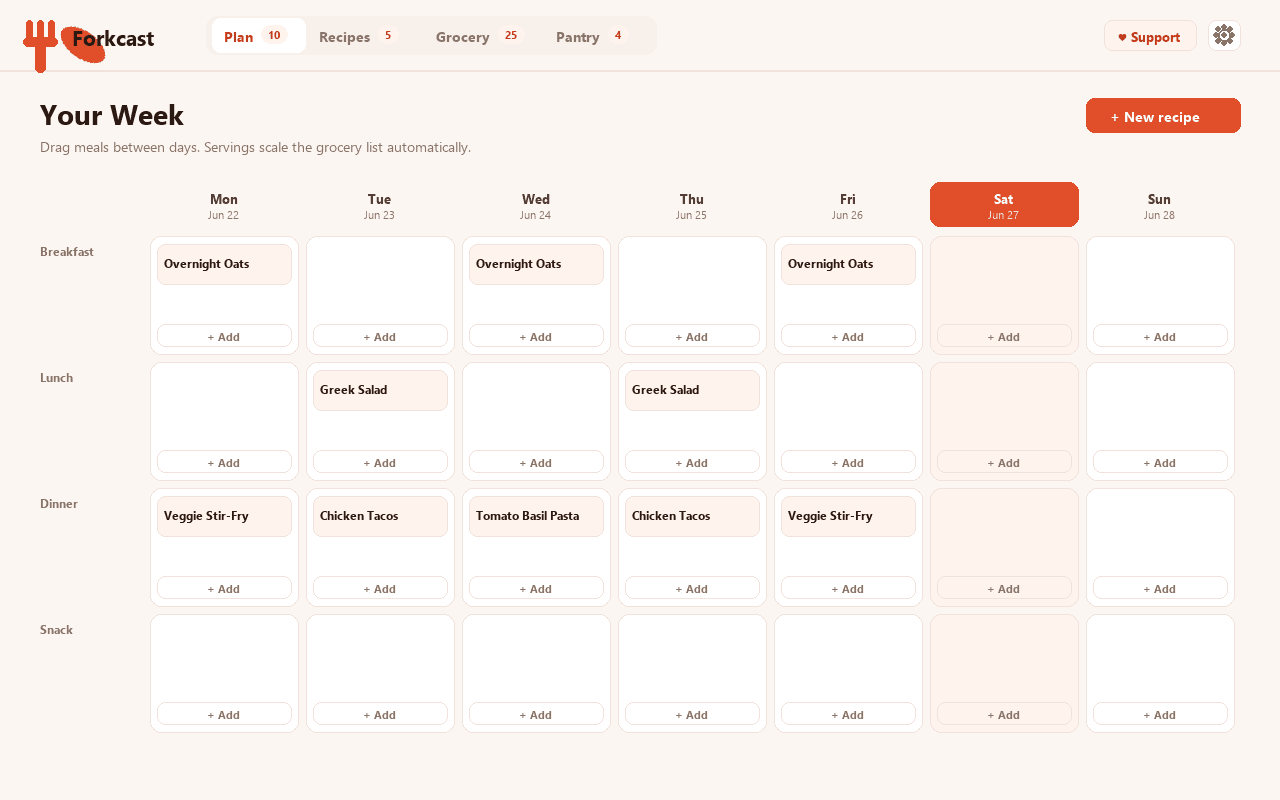
Forkcast turns meal planning into one private, end-to-end workflow: drag recipes onto a weekly grid and let it build the single grocery list you actually shop from — all in your browser, with nothing to sign into.
Most meal planners hand you a messy shopping list: the same onion listed three times, ingredients you already own, nothing grouped by aisle. Forkcast fixes exactly that. It reads every meal you've planned, adds up each ingredient — so "2 cloves" here and "4 cloves" there become "6 cloves" — converts compatible units, scales by your planned servings, drops the staples you keep stocked, and lays the list out in the order you walk the store.
Build a private cookbook by hand or paste an ingredient list and Forkcast parses each line into a structured quantity, unit and name. Plan with custom meal slots and per-meal servings, then tick items off as you shop, copy or export the list, and print it for the fridge.
It's local-first by design. Your recipes, plan, pantry and grocery check-offs are stored only on your device and never uploaded — there's no account and no tracking. The single network request is a small display-only config fetch; it sends nothing about you, and Forkcast works fully offline.
Features
Everything Forkcast does
Plan your week
Drag recipes onto a weekly grid with custom meal slots and per-meal servings, and see your whole week at a glance.
One smart grocery list
Forkcast reads every planned meal and builds a single shopping list automatically — no more adding things up by hand.
Merged amounts & unit conversion
Identical ingredients are combined and compatible units converted, so "2 cloves" and "4 cloves" become "6 cloves". Servings scale the amounts for you.
Skips your pantry staples
Mark the basics you always keep stocked and Forkcast leaves them off the list, then groups everything by store aisle in the order you shop.
A private cookbook
Add recipes by hand or paste an ingredient list — Forkcast parses each line into a structured quantity, unit and name.
Local-first & yours to keep
Your recipes, plan and pantry stay on your device — no account, no tracking. Tick items off, copy, export to JSON, or print the list.
Screenshots
See it in action
How it works
Up and running in seconds
- 1
Install Forkcast
Add it from the Chrome Web Store and pin it to your toolbar for one-click access to this week.
- 2
Add a few recipes
Build your cookbook by hand or paste an ingredient list — Forkcast parses each line into quantity, unit and name.
- 3
Plan your week
Drag recipes onto the weekly grid, set per-meal servings, and mark the pantry staples you always keep stocked.
- 4
Shop the smart list
Open the grocery list — merged, scaled and sorted by aisle — then tick items off, copy, export or print it.
Keyboard
Shortcuts
| Action | Windows / Linux | macOS |
|---|---|---|
| Open Forkcast (this week at a glance) | Alt+Shift+M | Option+Shift+M |
| Open the weekly planner | Alt+Shift+K | Option+Shift+K |
Privacy
Why each permission is needed
Forkcast asks for the minimum and explains every one.
storageSaves your recipes, weekly meal plan, pantry staples, grocery-list state and settings via chrome.storage on your device. Nothing is sent anywhere.
host access (factory-chrome-extensions.vercel.app)Fetches a small, display-only configuration file that decides whether the optional Support / Go Pro buttons appear and where they link. It sends no personal data — no recipes, no plans, nothing about you — is cached locally, and Forkcast works fully offline if the site can't be reached.
Read the full privacy policy.
FAQ
Questions, answered
Plan meals, shop one smart list
Plan weekly meals and auto-build a smart grocery list: merges duplicate amounts across recipes, scales by servings, skips pantry staples, and sorts by aisle. 100% local.