 v0.1.0Lifestyle
Keep every plant alive & thriving
Custom watering, feeding & repotting schedules, reminders and a photo journal — offline.
Free · Local-first · No account required
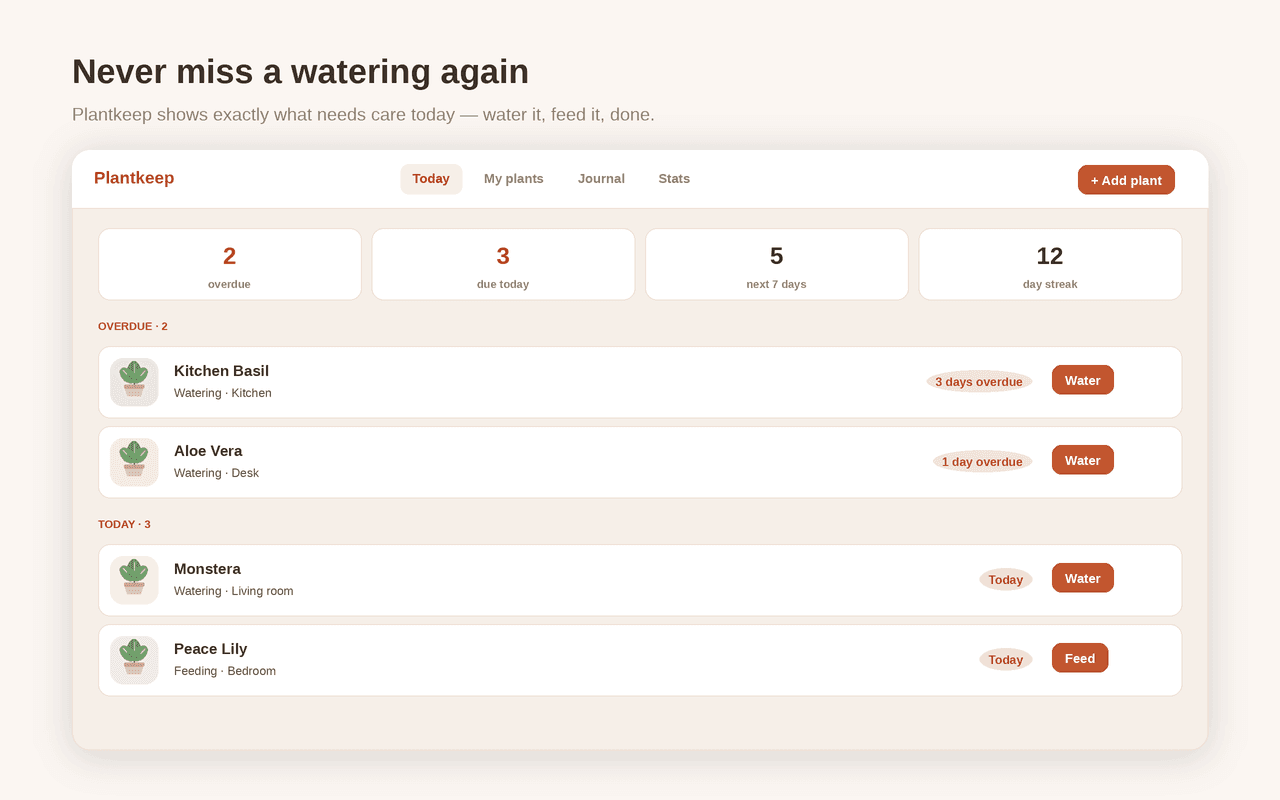
Plantkeep turns your browser into a private home for every houseplant — building a personalised care schedule for each one and reminding you exactly when to water, feed, mist, prune, rotate and repot, all without a subscription, an account or a single byte of your data leaving the browser.
Open the popup for a care agenda that shows what's overdue and due today across your whole collection; mark a task done in one tap, snooze it, or undo a mistaken tap. You set your own interval for every task on every plant and change it whenever you like — no locked frequencies and no paywall.
Start fast from a built-in library of common houseplants (Monstera, Pothos, Snake Plant, Fiddle Leaf Fig and more) for sensible default schedules, then fine-tune. Plantkeep can automatically space out watering and feeding in winter when plants grow slowly, and a photo journal records new leaves, repots and milestones with notes and pictures.
An optional daily notification and a toolbar badge keep you on track, a care streak keeps you consistent, and a side panel keeps your agenda open beside any tab. Search and filter by room, back everything up to a JSON file, and restore it on another computer. Your plants, photos, schedules and journal stay 100% on your device.
Features
Everything Plantkeep does
Today's care agenda
Open the popup to see exactly what's overdue and due today across every plant. Mark a task done in one tap, snooze it, or undo a mistaken tap.
Schedules you control
Set your own interval for watering, fertilizing, misting, repotting, pruning and rotating each plant — and change it any time. No locked frequencies, no paywall.
A built-in plant library
Pick from common houseplants — Monstera, Pothos, Snake Plant, Fiddle Leaf Fig and more — for sensible default schedules instantly, then fine-tune.
Seasonal adjustment
Plantkeep automatically spaces out watering, misting and feeding in winter, when plants grow slowly. Toggle it off any time.
Photo journal & history
Log new leaves, repots and milestones with notes and photos, and see each plant's full care history.
Reminders, badge & streaks
An optional daily notification, a toolbar badge with your due count, and a care streak keep you consistent. A side panel keeps the agenda open beside any tab.
Screenshots
See it in action
How it works
Up and running in seconds
- 1
Install Plantkeep
Add it from the Chrome Web Store and pin it to your toolbar.
- 2
Add your plants
Add each plant from the built-in library for instant default schedules, or create your own and set its room, light and pot.
- 3
Tune the schedules
Set your own interval for watering, feeding, misting, repotting, pruning and rotating — change any of them whenever you like.
- 4
Stay on track
Press Alt+Shift+P for today's care agenda, turn on the daily reminder, mark tasks done, and back everything up to JSON.
Keyboard
Shortcuts
| Action | Windows / Linux | macOS |
|---|---|---|
| Open the Plantkeep care agenda | Alt+Shift+P | Option+Shift+P |
| Open the Plantkeep dashboard | Alt+Shift+G | Option+Shift+G |
Privacy
Why each permission is needed
Plantkeep asks for the minimum and explains every one.
storageSaves your plants, schedules, care history, journal notes, photos and settings via chrome.storage.local on your device. Nothing is sent anywhere.
alarmsSchedules the local once-a-day check that powers the optional daily care reminder.
notificationsShows the optional daily reminder — a single local notification listing the plants that need care. Evaluated on your device.
sidePanelOpens the live care agenda in Chrome's side panel, beside any tab.
commandsRegisters the optional keyboard shortcuts for opening the care agenda and the dashboard.
host access (factory-chrome-extensions.vercel.app)Fetches a small, anonymous display-config (which Support button to show) from the Extension Factory site, cached locally for 12 hours. No personal data or plant data is ever sent, and the extension works fully offline.
Read the full privacy policy.
FAQ
Questions, answered
Keep every plant alive & thriving
Private, offline plant care: custom watering, feeding & repotting schedules, reminders, a photo journal and care history.